Breaking Down Micro-Frontend: The Future of Web Development
9min read • 2026-01-27 Technology
Technology
In our pursuit of innovative and efficient web development solutions for client projects, we often ran into the limitations of traditional monolithic architectures. Managing large codebases, coordinating diverse teams, and adapting to evolving technologies made us rethink our approach.
This led us to micro-frontends — a transformative way to structure applications. By enabling autonomous development teams, modular flexibility, and seamless integration, micro-frontends allowed us to deliver features faster and maintain them more easily.
In this article, we share our experience adopting micro-frontends, explore the advantages they bring, and walk through a modern TypeScript + Nx + Vite setup, complete with visual components to demonstrate a real-world-like scenario.
Introduction to Micro-Frontend
What Are Micro-Frontends?
Micro-frontends break a monolithic front-end into smaller, independently deployable modules, each representing a specific feature or section of the application. Each module operates as a standalone app, allowing teams to develop, test, and deploy independently, while the Host application integrates them dynamically.
Advantages of Micro-Frontend Architecture
Adopting a micro-frontend approach gives us:
- Parallel development: Multiple teams can work independently.
- Independent deployments: Updates to one module don’t require redeploying the entire application.
- Technology flexibility: Teams can choose frameworks and libraries per module.
- Better user experience: Faster load times and interactive modules.
With modern tooling like Nx + Vite, iteration cycles are faster, builds are lightweight, and it’s easier to manage dependencies and sharing between modules.
When to Use Micro-Frontends
Micro-frontends are ideal for large-scale applications with multiple teams or when different parts of the app evolve at different paces. They shine when you can divide your application into well-defined, independent features, such as a dashboard, profile page, or admin panel.
For smaller projects, a modular monolith may be sufficient, but as complexity grows, micro-frontends provide long-term scalability and maintainability.
Core Concepts
Modularization and Independence
Each micro-frontend module encapsulates its own state, rendering logic, and dependencies, allowing parallel development and simplifying maintenance. Clear separation of concerns is key: each module should be self-contained and expose only what’s necessary to the Host.
Communication and Integration
Modules often need to communicate. Options include:
- Event-driven communication (recommended for decoupling).
- Shared state or context (with minimal coupling).
- APIs between modules.
Integration combines modules into a cohesive experience, maintaining a consistent UI while preserving independent development.
Dynamic Loading and Scalability
Dynamic loading ensures that modules are only fetched when needed, reducing initial load times. With Nx + Vite, we can also prefetch modules likely to be visited next, and hydrate only visible parts to optimize performance.
Each micro-frontend can scale independently, ensuring that high-traffic features don’t impact others.
Key Technologies
Nx + Vite + Module Federation
Instead of traditional Webpack-based setups, we now use:
- Nx for monorepo orchestration, caching, and dependency visualization.
- Vite for fast development servers and hot module replacement.
- Vite Module Federation plugin to expose and consume remote components dynamically.
This stack simplifies development and enables smooth scaling across multiple teams.
Micro-Frontend Frameworks
We primarily use React + TypeScript, but Nx allows mixing frameworks if necessary. Each team can pick the best framework for its feature, while the Host aggregates everything seamlessly.
Implementation Walkthrough
Here’s a modern Host + Consumer demo using Nx + Vite + TypeScript. We’ll create:
apps/
├── host/        → Main app
├── consumerA/   → Remote Card component
└── consumerB/   → Remote List component
Step 1 — Create Nx Workspace
npx create-nx-workspace@latest microfrontend-app
cd microfrontend-app
Choose “empty workspace.”
Step 2 — Generate Apps
npm install @nx/react @nx/vite @originjs/vite-plugin-federation --save-dev
npx nx g @nx/react:app host --bundler=vite
npx nx g @nx/react:app consumerA --bundler=vite
npx nx g @nx/react:app consumerB --bundler=vite
Step 3 — Configure Consumers
apps/consumerA/vite.config.ts
import { defineConfig } from 'vite';
import react from '@vitejs/plugin-react';
import  { federation } from '@module-federation/vite';

export default defineConfig(() => ({
  root: __dirname,
  cacheDir: '../node_modules/.vite/consumerA',
  server:{
    port: 4201,
    host: 'localhost',
  },
  preview:{
    port: 4201,
    host: 'localhost',
  },
  plugins: [
    react(),
    federation({
      name: "consumerA",
      filename: "remoteEntry.js",
      exposes: {
        "./Card": "./src/app/components/Card.tsx",
      },
      shared: ["react", "react-dom"],
    }),
  ],
  build: {
    outDir: './dist',
    emptyOutDir: true,
    reportCompressedSize: true,
    commonjsOptions: {
      transformMixedEsModules: true,
    },
  },
}));
apps/consumerA/src/app/components/Card.tsx:
const Card = ({ title, description }: Readonly<{ title: string; description: string }>) =>
   (
    <div style={{
      border: "1px solid #ddd",
      borderRadius: 8,
      padding: 16,
      margin: 8,
      boxShadow: "0 2px 5px rgba(0,0,0,0.1)",
      maxWidth: 300
    }}>
      <h3>{title}</h3>
      <p>{description}</p>
    </div>
  );

export default Card;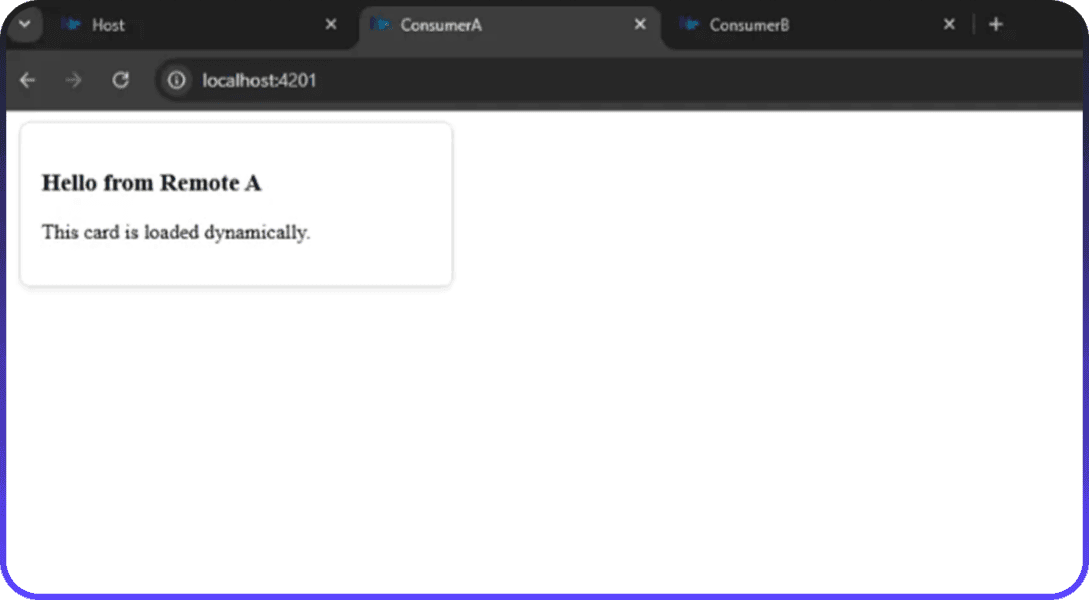
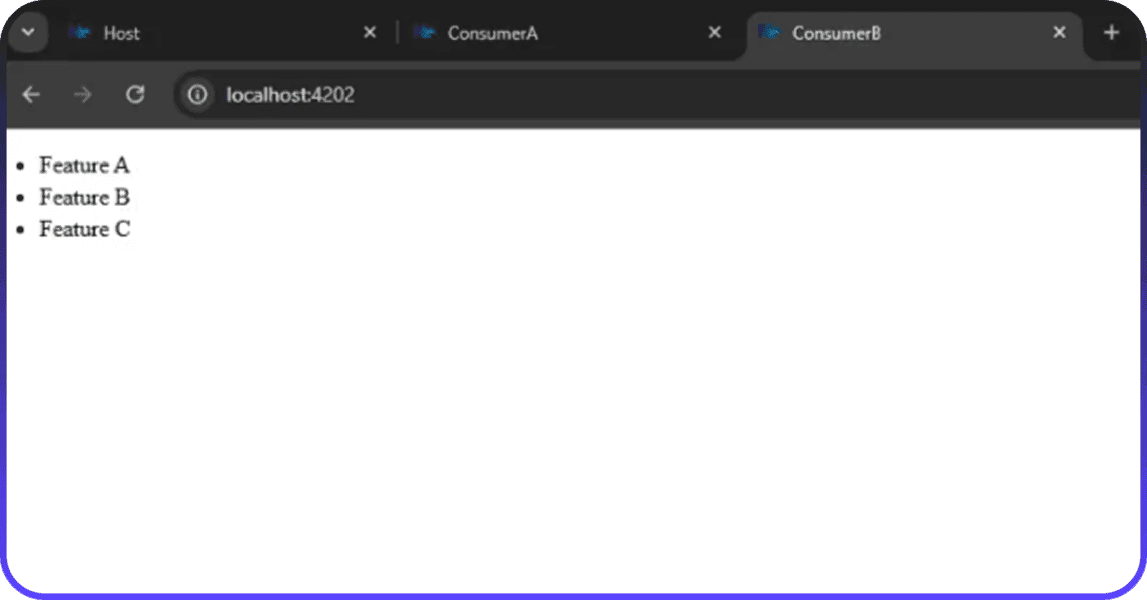
ConsumerB exposes a List component similarly.
Step 4 — Configure Host
apps/host/vite.config.ts
import { defineConfig } from 'vite';
import react from '@vitejs/plugin-react';
import  { federation } from '@module-federation/vite';

export default defineConfig(() => ({
  root: __dirname,
  cacheDir: '../node_modules/.vite/host',
  server:{
    port: 4200,
    host: 'localhost',
  },
  preview:{
    port: 4200,
    host: 'localhost',
  },
  plugins: [react(),
    federation({
      name: "host",
      remotes: {
        consumerA: {
          type: "module",
          name: "consumerA",
          entry: "http://localhost:4201/remoteEntry.js",
        },
        consumerB: {
          type: "module",
          name: "consumerB",
          entry: "http://localhost:4202/remoteEntry.js",
        },
      },
      shared: ["react", "react-dom"],
    })],
  build: {
    outDir: './dist',
    emptyOutDir: true,
    reportCompressedSize: true,
    commonjsOptions: {
      transformMixedEsModules: true,
    },
  },
}));
Step 5 — Render Remotes in Host
apps/host/src/app/app.tsx
import { Suspense, lazy } from "react";

const RemoteCard = lazy(() => import("consumerA/Card"));
const RemoteList = lazy(() => import("consumerB/List"));

export default function App() {
    const items = ["Consumer A", "Consumer B", "Consumer C"];
    return (
        <div style={{ padding: 40 }}>
            <h1>Host App</h1>
            <Suspense fallback={<div>Loading remote components...</div>}>
                    <RemoteCard
                        title="Hello from Host"
                        description="This card is loaded from consumer."
                    />
                    <RemoteList items={items} />
            </Suspense>
        </div>
    );
}
Step 6 — Run Applications
npx nx serve consumerA
npx nx serve consumerB
npx nx serve host
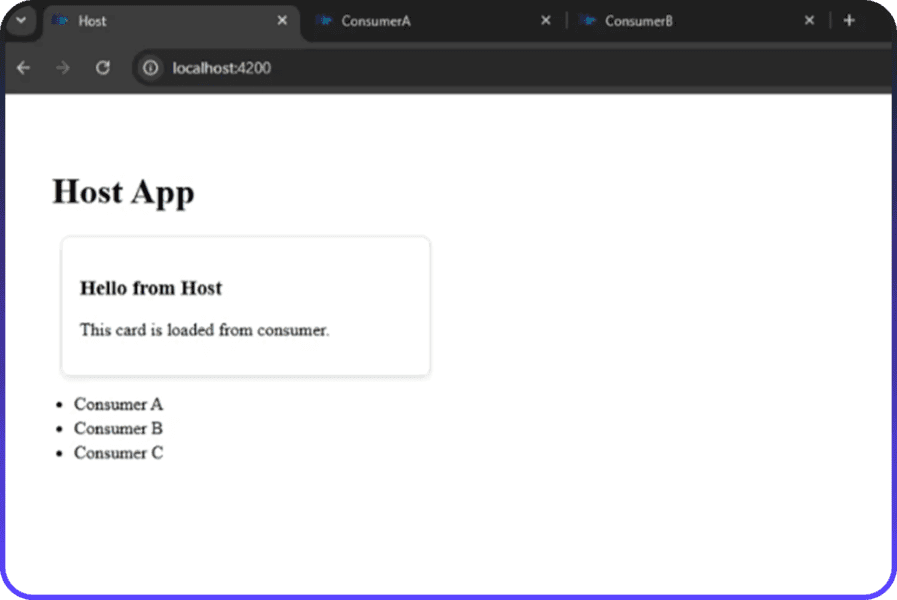
You’ll see:
- A Card from consumerA.
- A List from consumerB.
Both dynamically loaded by the Host — fully independent modules, yet a seamless user experience.
Best Practices and Guidelines
- Keep shared dependencies aligned (react, react-dom).
- Maintain clear contracts between Host and Consumers.
- Automate deployments with CI/CD pipelines for independent modules.
- Use lazy loading, prefetching, and modular hydration to optimize performance.
Conclusion
Micro-frontends allow us to break large monoliths into manageable, independent modules, enabling faster releases, parallel team workflows, and scalable architecture.
With Nx + Vite, we now enjoy modern tooling, fast iteration, and lightweight builds, while still delivering a seamless experience for users. This approach isn’t just a technical upgrade — it’s a cultural shift, empowering teams to move independently while contributing to a unified platform.
The future of web development is modular, efficient, and collaborative — and micro-frontends are leading the way.